Download the annual conference mobile app today!
We can't wait to see you at HANYS' Annual Membership Conference. Download our new mobile app, CVENT, today to review the agenda, speakers and sponsors. The app is required for conference attendance. You will use it to check in onsite for the conference, complete session pulse checks, receive event notifications and participate in live Q&A with speakers.
Follow these steps to access the app:
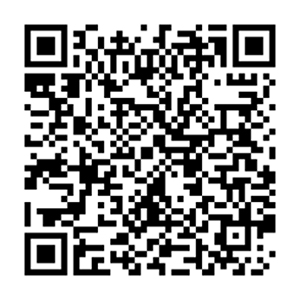
- Scan the QR code below or click here from your mobile device. A screen will pop up giving you two options; please choose: Download the app and copy the event link. (Your phone may ask if you want to allow “CVENT Events” to paste at this time; if so, please choose “Allow Paste.”) This will then take you to the app store to download CVENT and will automatically connect you to our event.
- Once the app is downloaded, you will be prompted to log in. Enter your first name, last name and email address. Note: These must match the information you used when registering for the conference.
- Once logged in, an activation code will be sent to you from learning@hanys.org. This could take up to 10 minutes to arrive. If you do not receive the code, please check your spam folder. If you still do not see the code, please email learning@hanys.org for assistance.
- Once the activation code is entered, you will be prompted to either “set up a profile” or “skip it for now.” You can choose based on your preference.
That’s it — you’re in and have full access to the conference app!
App questions?
Contact learning@hanys.org.
Program questions?
Contact Allison Manny, vice president, HERF, at 518.431.7651 or amanny@hanys.org.